By Press
15 February 2017
The emerald golfing greens have seen better days. According to the US National Golf Foundation, the number of players has almost steadily declined from over 30 million in 2005 (pre-recession), to 24.7 million today. 680 US and 158 Canadian courses have closed.
“GOLF COURSE OWNERS ARE WORKING SMARTER TO MANAGE RESOURCES LIKE WATER AND LABOR MORE EFFICIENTLY.” SAID CEO MIKE DAVIS OF THE US GOLF ASSOCIATION, IN AN INTERVIEW WITH FORBES. “WE ARE INNOVATING AT A RAPID PACE, AND USING TECHNOLOGY AND DATA AS NEVER BEFORE TO MAKE SMART DECISIONS.”
Drone technology and Pix4D mapping software are two technologies entering the golf industry with the potential to create more efficient and attractive courses. We interviewed tech industry leaders to see where drone mapping applies to golf.
Design and maintenance
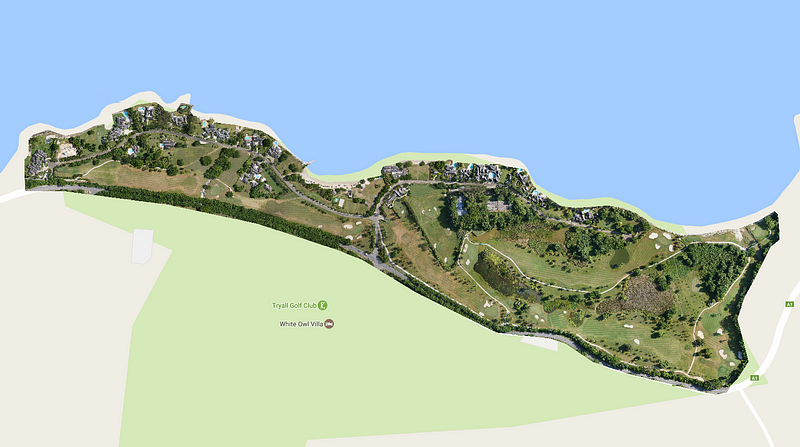
Accurate 3D models are a valuable tool to design and maintain golf courses.
Design
Drone mapping — or 3D surveying with drone imagery and Pix4D software — provides relevant visual and quantitative information for golf course planning. Microsoft recently stepped in this direction with its development of Microsoft Course IQ.
“It’s an application built for learning how technology can improve golf course design,” said Stefan Gordon, principal software engineer at Microsoft, who worked on the app. Engineers took ten-thousand aerial photos of four top US golf courses, then reconstructed detailed 2D and 3D maps of them using Pix4Dmapper Pro.
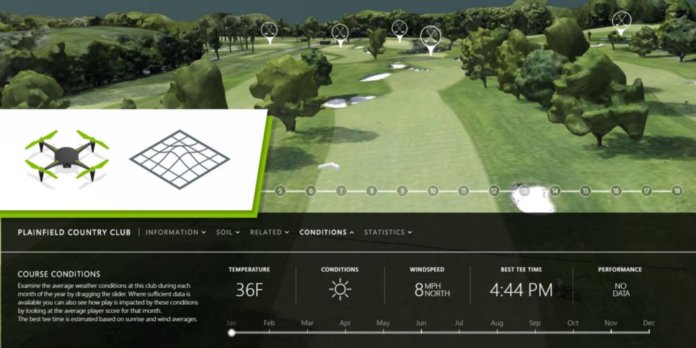
“Combined with other datasets and machine learning technology,” said Gordon, “The tool provides deep insight into these courses.” A landscape designer, for example, could use Course IQ to access data on the Plainfield Country Club course — not only accurate 3D models and topography maps from Pix4D, but information on soil composition or bedrock depth.
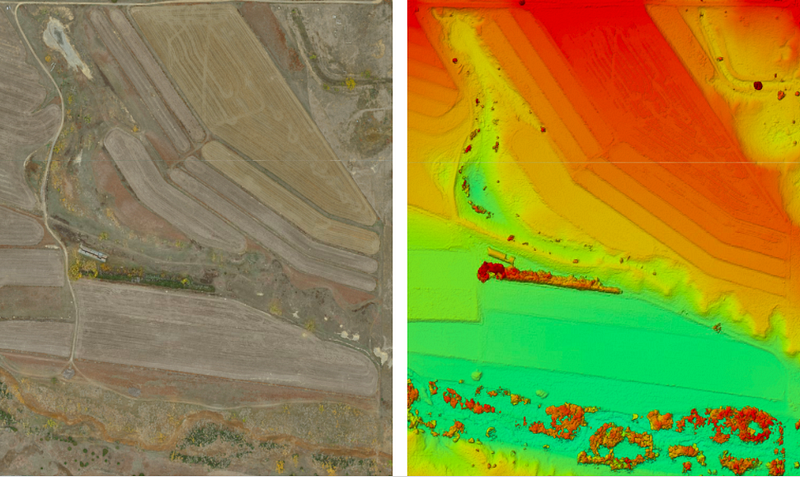
Such maps can also be used during the design process to determine elevation and flood risk areas, like Christopher Haddad of Jamaica UAV did with his drone mapping data of the Tryall Estate Golf Course (image above).
Maintenance
25–35% of total club revenues go towards maintenance costs. By using 3D models of a course, management can better monitor the green and conduct hole-by-hole analysis, especially of large course.
Kevin Barba, co-founder of Summit Drones, stated that the 3D golf course models he provides give owners more control over their course, helping them keep customers satisfied.
“They can now — for instance — look at that stubborn pine tree on hole #4, and using Pix4D software, accurately calculate the height and width of the tree, estimate the weight of the tree, and the cost and time it would take to remove it,” said Barba, who also uses the workflow to help monitor fairway health, in order to calculate upkeep costs of different seasons.
Microsoft engineer Gordon identified maintenance as a key reason to 3D map golf courses. “We’ve seen interest from course owners in detailed contour mapping,” he said, “so that they can ensure a famous course is maintained in a historically accurate way after many years have passed.”
Marketing and Communication

Drone mapping — or 3D surveying with drone imagery and Pix4D software — provides relevant visual and quantitative information for golf course planning. Microsoft recently stepped in this direction with its development of Microsoft Course IQ.
“It’s an application built for learning how technology can improve golf course design,” said Stefan Gordon, principal software engineer at Microsoft, who worked on the app. Engineers took ten-thousand aerial photos of four top US golf courses, then reconstructed detailed 2D and 3D maps of them using Pix4Dmapper Pro.
“Combined with other datasets and machine learning technology,” said Gordon, “The tool provides deep insight into these courses.” A landscape designer, for example, could use Course IQ to access data on the Plainfield Country Club course — not only accurate 3D models and topography maps from Pix4D, but information on soil composition or bedrock depth.
Such maps can also be used during the design process to determine elevation and flood risk areas, like Christopher Haddad of Jamaica UAV did with his drone mapping data of the Tryall Estate Golf Course (image above).
Maintenance
25–35% of total club revenues go towards maintenance costs. By using 3D models of a course, management can better monitor the green and conduct hole-by-hole analysis, especially of large course.
Kevin Barba, co-founder of Summit Drones, stated that the 3D golf course models he provides give owners more control over their course, helping them keep customers satisfied.
“They can now — for instance — look at that stubborn pine tree on hole #4, and using Pix4D software, accurately calculate the height and width of the tree, estimate the weight of the tree, and the cost and time it would take to remove it,” said Barba, who also uses the workflow to help monitor fairway health, in order to calculate upkeep costs of different seasons.
Microsoft engineer Gordon identified maintenance as a key reason to 3D map golf courses. “We’ve seen interest from course owners in detailed contour mapping,” he said, “so that they can ensure a famous course is maintained in a historically accurate way after many years have passed.”
Marketing and Communication
3D models can play a key role in online promotion.
As part of their online marketing and communication strategy, golf course owners are adopting interactive 3D models as a tool to engage their audiences in a process of discovery. Imagine trying to decide on a golf destination, says Barba of Summit Drones, if you are hundreds of miles away and want to spend one day golfing your dream course!
“AERIAL 3D MAPPING IS A POWERFUL TOOL THAT CAN DO EVERYTHING,” SAID BARBA, “FROM GIVING THE CUSTOMER THAT VIRTUAL EXPERIENCE TO FEEL LIKE THEY KNOW THE GOLF COURSE AND HAVE PLAYED IT.”
One marketing strategy of 3D models, mentions David Field of Drone Tech Aerospace Ltd, is to promote the club along with a promotional video and aerial photographs, “To allow their club members and potential members to preview the course virtually.”
Game planning
As part of their online marketing and communication strategy, golf course owners are adopting interactive 3D models as a tool to engage their audiences in a process of discovery. Imagine trying to decide on a golf destination, says Barba of Summit Drones, if you are hundreds of miles away and want to spend one day golfing your dream course!
“AERIAL 3D MAPPING IS A POWERFUL TOOL THAT CAN DO EVERYTHING,” SAID BARBA, “FROM GIVING THE CUSTOMER THAT VIRTUAL EXPERIENCE TO FEEL LIKE THEY KNOW THE GOLF COURSE AND HAVE PLAYED IT.”
One marketing strategy of 3D models, mentions David Field of Drone Tech Aerospace Ltd, is to promote the club along with a promotional video and aerial photographs, “To allow their club members and potential members to preview the course virtually.”
Game planning
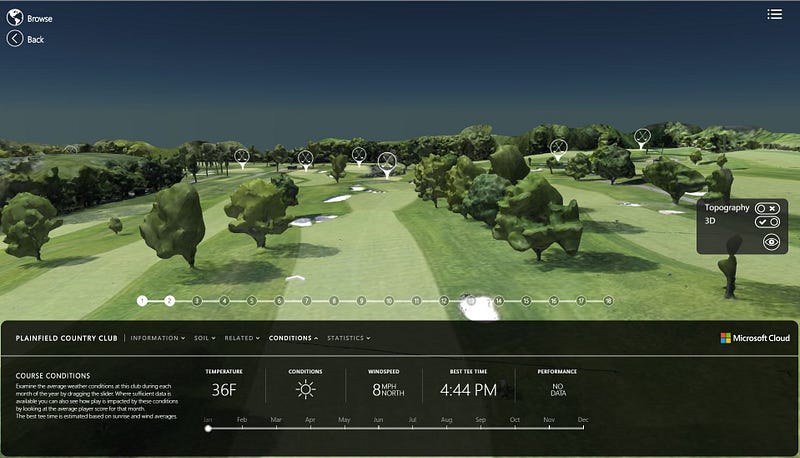
3D models are also a game planning tool.
Last but not least, golf is a game, and players need tools to to define a strategy. With accurate interactive 3D models, golfers plan their rounds in advance: preparing their approach to each hole before they actually step on the green.
In Kevin Barba’s words, “Utilizing photogrammetry and 3D mapping gives golfers the ability to know every blade of grass and grain of sand on the course, so they are confident and prepared for a great day on the green.”
Microsoft Course IQ is taking game planning to the next level. A golfer navigating the 3D or topographic model of a golf resort can access multiple information layers, like the current temperature, sunlight, and wind conditions, or even advice on making their tee time reservation.
AS PHOTOGRAMMETRY AND DRONE-BASED SERVICES ADVANCE, THERE ARE NEW 3D MAPPING TERRITORIES TO DISCOVER. AS A FINAL PRODUCT OR AS A LAYER IN A PROJECT, PIX4D OUTPUTS ENABLE THE DEVELOPMENT OF NEW BUSINESS APPLICATIONS.
Do you have a drone mapping business idea? Get Pix4D software and start mapping!
Last but not least, golf is a game, and players need tools to to define a strategy. With accurate interactive 3D models, golfers plan their rounds in advance: preparing their approach to each hole before they actually step on the green.
In Kevin Barba’s words, “Utilizing photogrammetry and 3D mapping gives golfers the ability to know every blade of grass and grain of sand on the course, so they are confident and prepared for a great day on the green.”
Microsoft Course IQ is taking game planning to the next level. A golfer navigating the 3D or topographic model of a golf resort can access multiple information layers, like the current temperature, sunlight, and wind conditions, or even advice on making their tee time reservation.
AS PHOTOGRAMMETRY AND DRONE-BASED SERVICES ADVANCE, THERE ARE NEW 3D MAPPING TERRITORIES TO DISCOVER. AS A FINAL PRODUCT OR AS A LAYER IN A PROJECT, PIX4D OUTPUTS ENABLE THE DEVELOPMENT OF NEW BUSINESS APPLICATIONS.
Do you have a drone mapping business idea? Get Pix4D software and start mapping!
Read more:
https://www.suasnews.com/2017/02/three-reasons-golf-courses-next-drone-mapping-territory/

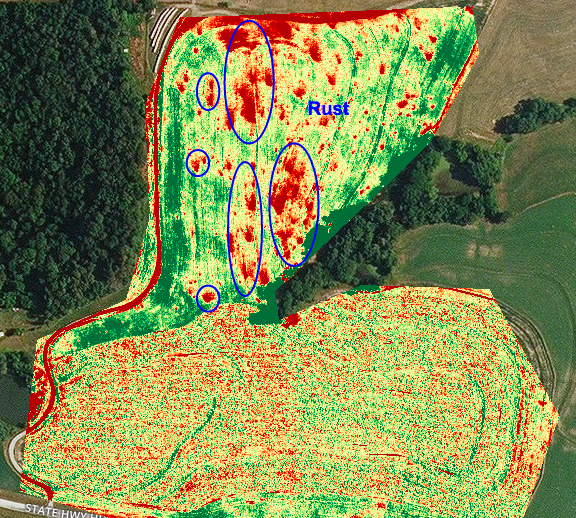
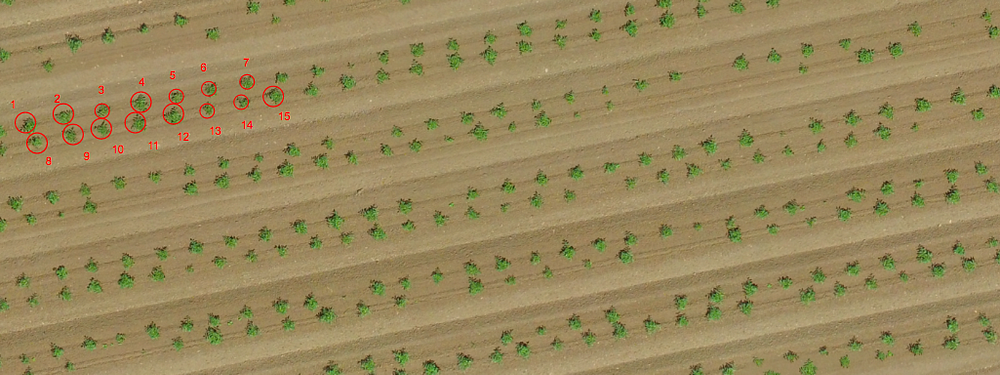
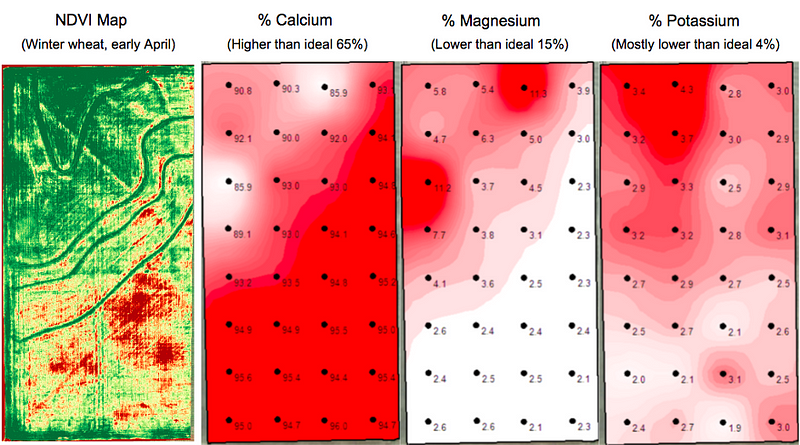 Drone map shows strong correlation to soil sample results, but with more detailed data